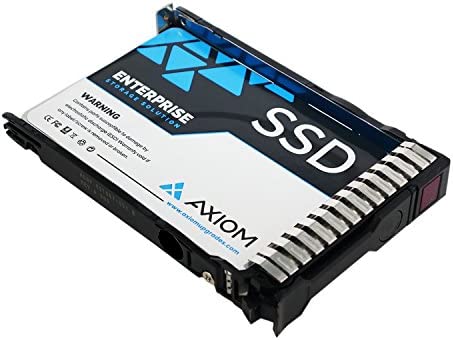
Fiche Technique Internal SSD 256GB PCIe NVMe for MacBook Pro A1708, Internal Solid State Hard Drive Improve Performance and Storage Capacity for A1708 2016-2017 au Maroc
[Update for your MacBook]: You can replace the SSD to increase the capacity and processing speed to extend the life of your MacBook Pro A1708 (2016-2017). Note that only models without touch bar are compatible. IMPORTANT NOTE: Before removal, your old original SSD must be updated to macOS 10.13 or higher, otherwise the new SSD will not be recognized after replacement.
[Data Security]: The nvme m.2 SSD works stably and protects your data well through the encryption program, ensuring that your data is always safe and secure. So you can save your valuable photos, videos and other important data. Note that to reinstall macOS on the replaced SD, start by holding the “Command+Option+R” key. Go to the “macOS Utilities” to format the SSD, and then install the operating system.
[High Speed]: With this PCIe NVMe internal solid state drive, greatly improve your Macbook, the read speed is up to 2200MB/s, the write speed is 2000MB/s (1TB) Faster boot times, faster application load times, and better system responsiveness, give you a smoother experience in games or everyday work.
[Large Storage Capacity]: With 256GB, 512GB, 1TB and 2TB storage options, you can easily upgrade your MacBook Pro A1708 and store more of your favorite content, including movies, music, documents, and more. And it can be installed in a few simple steps, without the need for professional assistance.
[Customer Satisfaction]: We are committed to providing high quality products and excellent customer service. If you have any problems with our SSD, please feel free to contact us, we will offer you a quick and satisfactory solution. PS: Back up your original data to avoid failed installation.
[Data Security]: The nvme m.2 SSD works stably and protects your data well through the encryption program, ensuring that your data is always safe and secure. So you can save your valuable photos, videos and other important data. Note that to reinstall macOS on the replaced SD, start by holding the “Command+Option+R” key. Go to the “macOS Utilities” to format the SSD, and then install the operating system.
[High Speed]: With this PCIe NVMe internal solid state drive, greatly improve your Macbook, the read speed is up to 2200MB/s, the write speed is 2000MB/s (1TB) Faster boot times, faster application load times, and better system responsiveness, give you a smoother experience in games or everyday work.
[Large Storage Capacity]: With 256GB, 512GB, 1TB and 2TB storage options, you can easily upgrade your MacBook Pro A1708 and store more of your favorite content, including movies, music, documents, and more. And it can be installed in a few simple steps, without the need for professional assistance.
[Customer Satisfaction]: We are committed to providing high quality products and excellent customer service. If you have any problems with our SSD, please feel free to contact us, we will offer you a quick and satisfactory solution. PS: Back up your original data to avoid failed installation.
Avis sur Internal SSD 256GB PCIe NVMe for MacBook Pro A1708, Internal Solid State Hard Drive Improve Performance and Storage Capacity for A1708 2016-2017
Les acheteurs qui ont testé Internal SSD 256GB PCIe NVMe for MacBook Pro A1708, Internal Solid State Hard Drive Improve Performance and Storage Capacity for A1708 2016-2017 ont donné la note /5
vous pouvez lire tous les avis via ce lien

Le Prix Internal SSD 256GB PCIe NVMe for MacBook Pro A1708, Internal Solid State Hard Drive Improve Performance and Storage Capacity for A1708 2016-2017 au Maroc
Voici le prix pour acheter Internal SSD 256GB PCIe NVMe for MacBook Pro A1708, Internal Solid State Hard Drive Improve Performance and Storage Capacity for A1708 2016-2017 au Maroc
Dhs